My Finances
A personal-finance app with end-to-end encryption and a zero-knowledge backend: your financial data never leaves your device unencrypted.
This project was born from a personal need: I wanted to build the habit of managing my finances and couldn't find an app I fully trusted with my data. So I built it. My own product, designed and built end to end: a cross-platform mobile app to manage income and expenses, backed by a custom API and a web companion. The founding premise was radical — that not even I, as the server's owner, could read a user's financial data.
The problem and the privacy thesis
Most finance apps store your records in plaintext on their servers. Here the design choice was the opposite: privacy by design. All encryption happens on the device, and the server only stores opaque blobs it cannot decrypt. The result is a zero-knowledge backend: even if the database were breached, the data would be unreadable.
Architecture
A single monorepo (pnpm workspaces + Turborepo) with four packages — mobile app, backend API, web companion, and a shared package — unified by one cryptographic model. Anything mobile and web both need, above all the E2EE crypto, lives in the shared package from day one, so both clients encrypt and decrypt with the exact same code.
›Mobile app (React Native · Expo)
React Native 0.83 / Expo 55 with expo-router, TypeScript and React 19. Per-domain state with Zustand, offline storage in local SQLite (expo-sqlite), tokens in the secure Keychain/Keystore, and biometric-gated keys via react-native-keychain. All encryption runs client-side through the shared envelope (crypto.subtle via react-native-quick-crypto).
›Backend API (Express · TypeScript)
Node.js + Express 4 + TypeScript over MongoDB (Mongoose 8), deployed serverless on Vercel with a daily notifications cron. Strict layered architecture (repository → service → controller → router) with manual dependency injection, Zod validation and Swagger docs. It stores encrypted material but never decrypts it, and binds every request to the device with an ECDSA P-256 signature.
›Web companion (Next.js)
Next.js 16 (App Router) + React 19 + Tailwind CSS v4. It never sees your password: it gains access through Web Link and decrypts your data in the browser with the same shared envelope. State lives entirely in memory, with a strict CSP and no persistence of tokens or keys.
›Shared package
Platform-agnostic TypeScript: domain types, pure business logic (actuals, goal math, recurrence, dates), the EN/ES locales, and — most importantly — the E2EE envelope, built only on standard crypto.subtle. Writing it once guarantees exact cryptographic parity between mobile and web.
Offline-first approach
The app is built to work without a connection: the device is the source of truth and the cloud acts as an encrypted backup that syncs when the network is available.
›How it was achieved
Invoices are written first to local SQLite (finanzas.db via expo-sqlite) with an operation queue; a syncManager replays the queued operations once connectivity returns, so the UI responds instantly even offline. Sync is idempotent: each operation carries a unique operationId and the server keeps an OperationLog (30-day TTL) to discard duplicates on resends, preventing double invoices. Budgets and goals, being low-write-frequency, save directly against the API.
›Security in offline mode
The local cache never stores plaintext — it holds the same end-to-end encrypted blobs, and keys stay in the system's secure storage (Keychain/Keystore). Every sensitive operation (create, edit, delete) requires biometric authorization before it applies, even offline; and when syncing, each request is signed by the device (ECDSA P-256) within an anti-replay window.
›Challenges migrating to offline-first
The biggest challenge was keeping encryption and state consistent between local and remote. It required migrating the data model so the client fully owned the content —moving sensitive fields inside a single encrypted payload—, defining how to reconcile changes and resolve conflicts when the same record is edited at different times, and preserving the security guarantees (biometric authorization and signed requests) for actions created offline and applied later.
Security in depth
The heart of the project. Defense in depth across every layer: identity, data, and transport.
›End-to-end encryption
Every sensitive entity (invoice, budget, goal) is stored as an opaque blob using envelope encryption, implemented once in the shared package over crypto.subtle: a per-payload AES-256-GCM key encrypts the content, and that key is wrapped with the user's 4096-bit RSA-OAEP public key. The server receives only the ciphertext, the wrapped key and the IV, validates its size, and never decrypts it.
›Key management & recovery
The 4096-bit RSA keypair is generated on-device at sign-up. The private key never travels in the clear: it's stored encrypted two independent ways — with your password (PBKDF2 + AES-256-GCM) and, separately, with a 5-word BIP-39 recovery passphrase. A recovery PDF (expo-print) with that passphrase is generated automatically, and account recovery supports several paths (recovery code, email OTP, BIP-39) without the server ever learning the key.
›Device binding (ECDSA P-256)
Beyond the JWT, every authenticated request is signed by the device. On a new device the client generates an ECDSA P-256 keypair, and each request carries the token, a timestamp (rejected if off by more than 5 min), and an ECDSA-P256-SHA256(sessionId:timestamp) signature the server verifies against the registered public key. This neutralizes token theft — a leaked access token is useless without the device key, which never leaves the secure keychain. Access JWTs last 15 min with a rotating 30-day refresh; the sessionId rotates on each login.
›Web Link — delegated web access
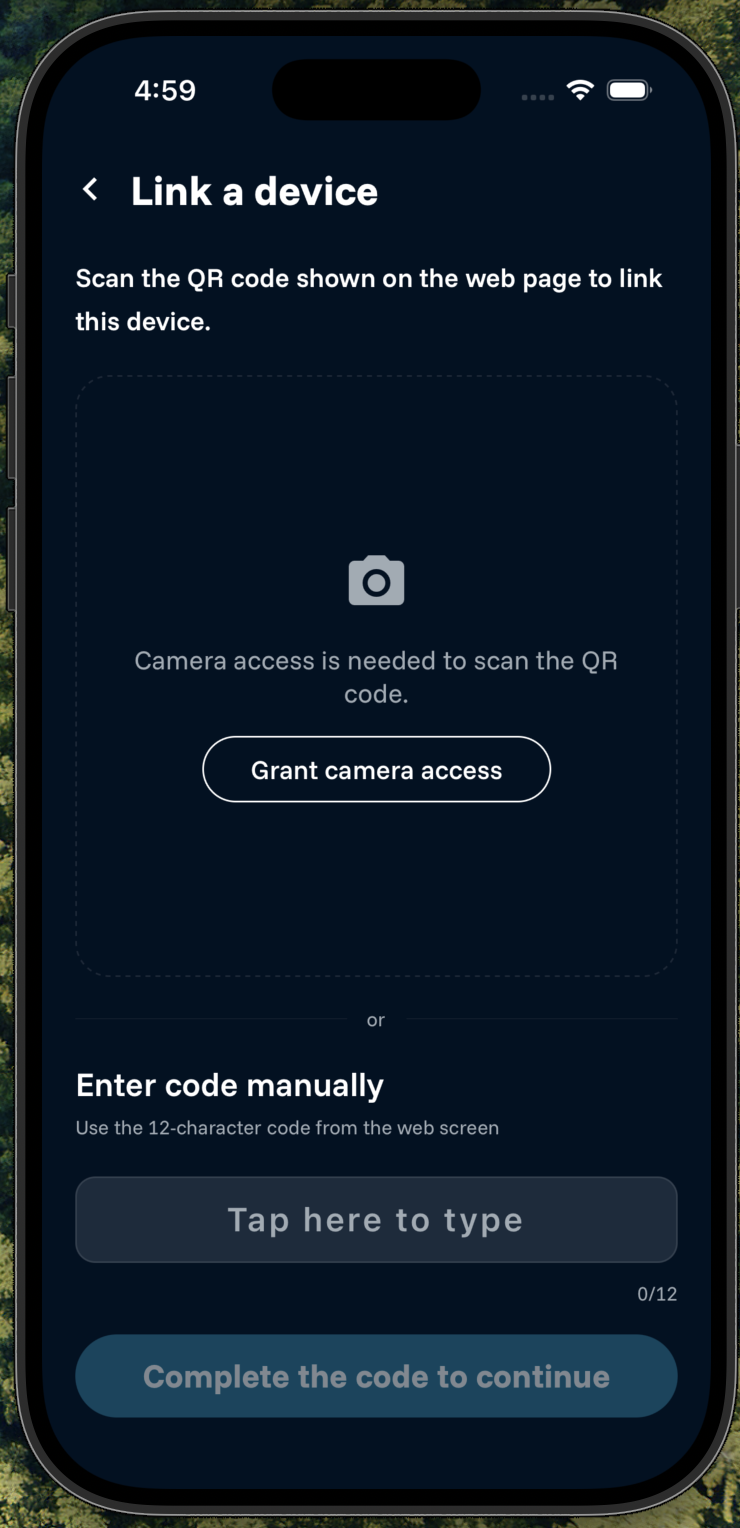
The web companion gets access without ever seeing your password, banking-style: the browser generates an ephemeral, non-extractable RSA keypair and shows a QR that encodes only a sessionId (plus a manual code for cameraless emulators). The phone approves and uploads the account key re-wrapped for that browser, which unwraps it as a non-extractable CryptoKey. A 256-bit browserToken that never travels in the QR guards the exchange, the web JWT is never persisted (a refresh ends the session), and sessions are revocable in real time and capped (3 concurrent, 12h TTL), with an out-of-band push and email on approval.
›Native security modules (iOS & Android)
I wrote a custom native module (Kotlin and Swift) that hardens the app at runtime: it detects compromised devices —root on Android, jailbreak on iOS—, an attached debugger, and whether it's running on an emulator or simulator, and blocks startup in production when something is off. It also implements iOS App Attest (Secure Enclave) which, together with Play Integrity on Android, lets the API require that every request comes from the genuine, unmodified app.
›Defense in depth
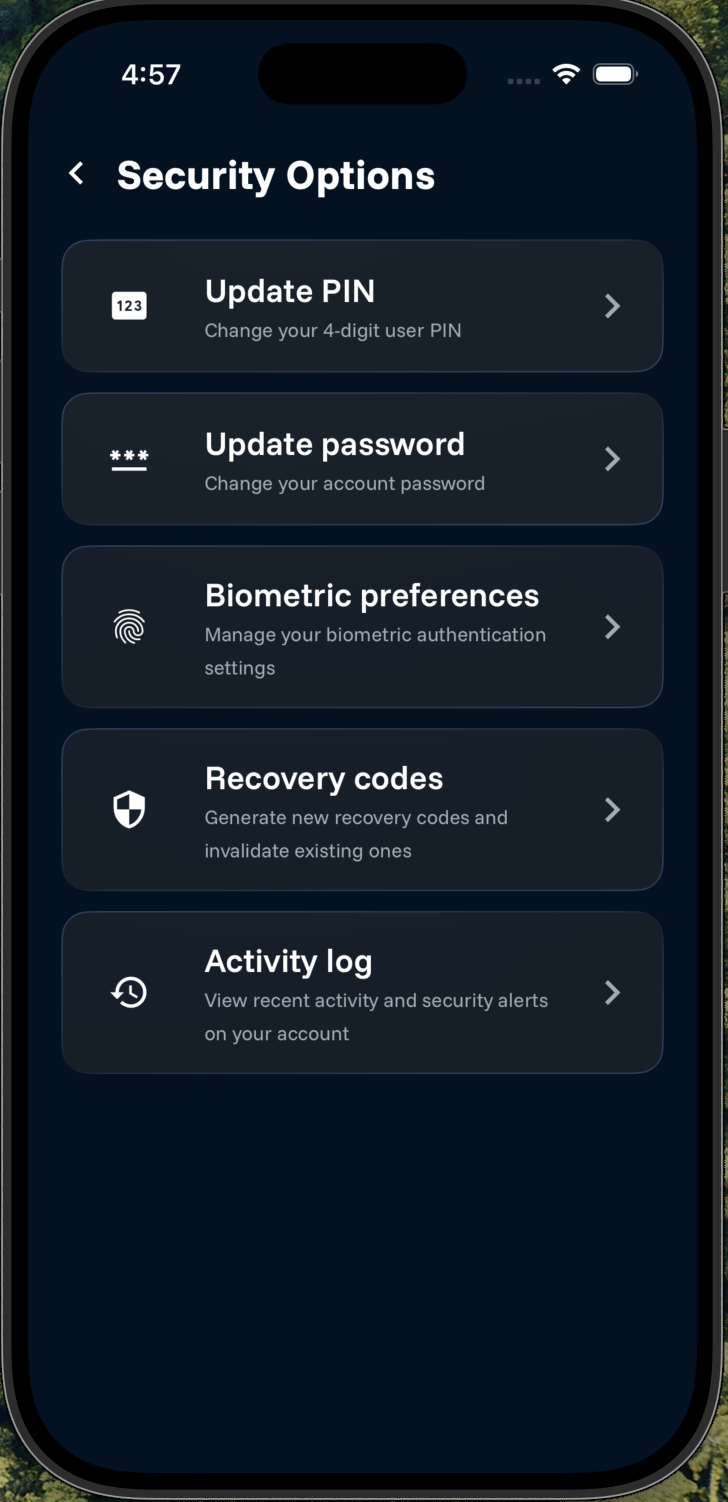
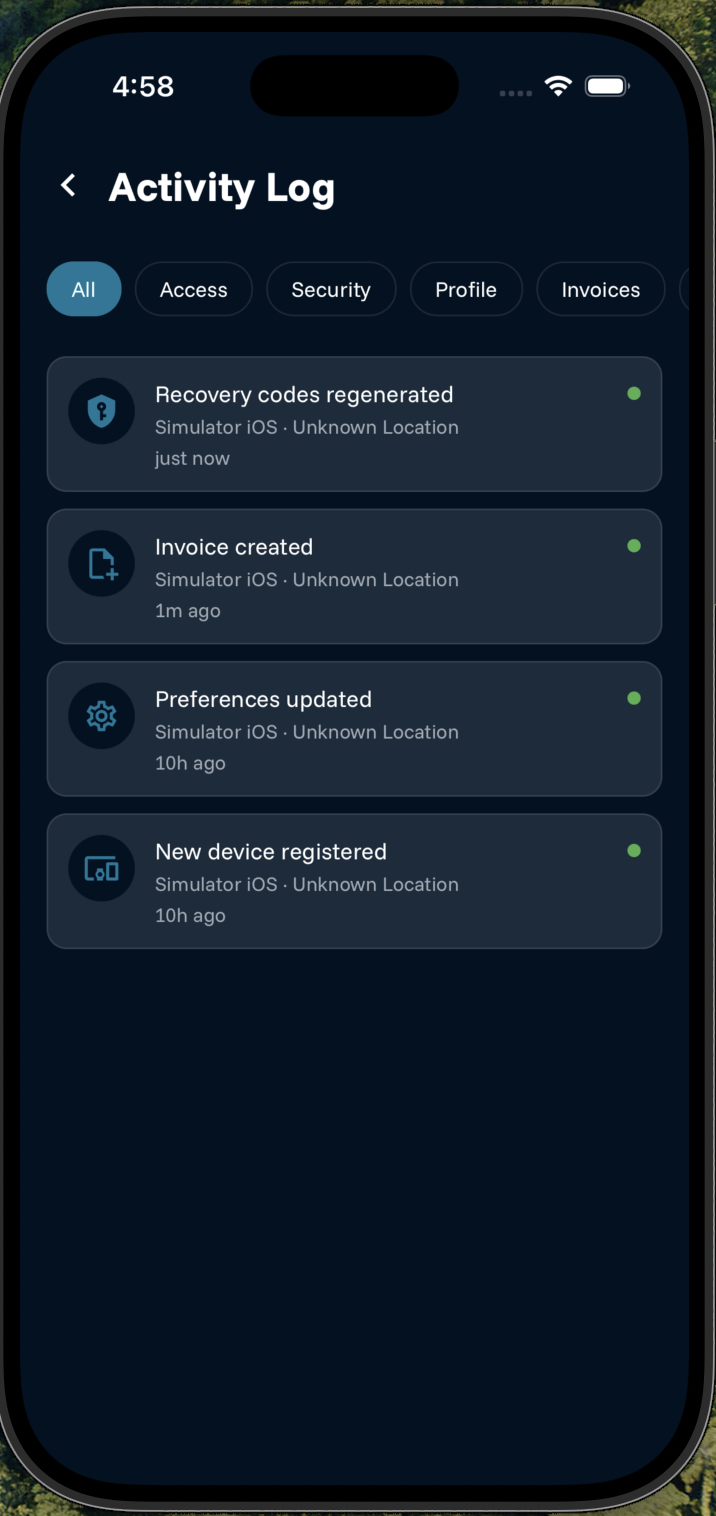
Password, PIN and biometrics; email verification to register or reset a device; cryptographic device binding; per-endpoint-class rate limiting (8 distinct limiters); PIN verification on invoice mutations; account lockout against brute force; mandatory audit logging of every entity mutation with IP and geolocation; strict Zod validation, a strict CSP and bcrypt hashing; plus app attestation (App Attest / Play Integrity). A documented security audit hardened the system, resolving nearly 18 findings.
Design patterns
A few deliberate patterns keep the codebase clean and the zero-knowledge model intact.
›Mobile — Feature-Sliced Design
Screens are thin wrappers; all logic lives in per-feature hooks and UI-less services. Multi-step flows (sign-up, recovery, device reset) render props-driven steps from a single hook, and every API call returns a typed Result whose errorCodes map to localized messages.
›Backend — layers + manual DI
Every entity follows a strict chain — repository → service → controller → router — never skipping layers, wired by a lazy singleton container (manual dependency injection). Each layer defines an interface, so tests mock the interface, not the implementation, isolating services from the database.
›Recurring invoices — Template + Occurrences
Recurring invoices aren't materialized forever: a template spawns occurrences on demand (recurringRole, templateId, occurrenceIndex), and editing supports this, this-and-future and all scopes — just like a calendar event.
›The server knows no relationships
Links between entities (for example a goal contribution creating a linked paid invoice) live entirely inside the client's encrypted payloads. The server treats every document independently — no cross-entity validation, sync or cascade delete. Referential integrity is the client's job, a direct consequence of zero-knowledge.
›100% local suggestion engine
Savings suggestions (required monthly contribution, behind-pace nudges, a 3–6-month emergency-fund benchmark, tips like 50/30/20) are computed from a static rule table on-device, over data already decrypted in memory. Wiring this to an external AI would break E2EE, so it stays local by design — no LLM involved.
Quality, testing & CI/CD
Quality is enforced mechanically at three stages — commit, push, and CI — so nothing merges without passing type-safety, lint, tests and a security scan.
›Test pyramid
Jest across all four packages. The base is fast unit tests over the pure business logic in the shared package (actuals, goal math, recurrence, the E2EE envelope) and mobile utilities. Above that, the API's services and repositories are tested in isolation from the database via interface and Mongoose mocking, and a route test uses supertest to exercise routing and middleware wiring. On top, a post-deploy Playwright smoke test runs against the real deployment. Current test files: 34 (API), 9 (mobile), 7 (shared), 2 (web).
›Static analysis & architecture boundaries
TypeScript strict mode in all four packages, plus a shared ESLint (flat config) and Prettier setup. Architecture is enforced by lint, not convention: eslint-plugin-boundaries forbids reverse dependencies across the API's layers (models → repositories → services → controllers → routes), and no-restricted-imports keeps the shared package free of any imports from the apps. A layer violation fails the same lint gate as any other error.
›Git hooks (Husky)
Three hooks catch problems early: pre-commit runs lint-staged per package (~2s), commit-msg enforces Conventional Commits via commitlint, and pre-push runs turbo typecheck + test across the whole workspace (8 tasks, ~21s) before anything reaches the remote.
›CI/CD — GitHub Actions + native Vercel
On every push and PR, GitHub Actions runs two parallel jobs. Quality runs turbo lint, typecheck, test and build across the monorepo; Security runs pnpm audit (high severity) plus a gitleaks secret scan over the full history. Deployment is handled natively by Vercel's git integration — no deploy step in the runner, which removed a whole class of build-env bugs — and a Playwright smoke test fires on the deployment-status event to verify the live build (hydration + CSP nonce).
›Merge gates
A merge is blocked by any of: a lint error, a layer-boundary violation, a type error, a failing test, a broken build, a high or critical dependency advisory (pnpm audit), or a leaked secret (gitleaks). It all runs automatically in CI, so the barrier to merge is mechanical, not manual review alone.
Stack & practices
Mobile app
Backend
Security
Quality & DevOps
Live demo
Try the real app in an isolated environment: mobile runs in an in-browser emulator and the web is the deployed companion. Data comes from a seeded test account — no real data is involved.
Mobile app (emulator)
Web companion
The demo uses an isolated backend with QA accounts. Link the web to mobile via the Web Link manual code.
Open the web companion ↗How to try it
- 1In the emulator, sign in with the test account.
- 2When asked for a verification code, enter the demo OTP below (it is fixed for this sandbox) and then the PIN.
- 3Open the web companion and copy the Web Link code.
- 4In the emulator, paste the code under "manual entry" and approve.
- 5The web is now linked and decrypts the data in the browser.
Test account
QA · sandboxFor the isolated demo environment only.
Gallery
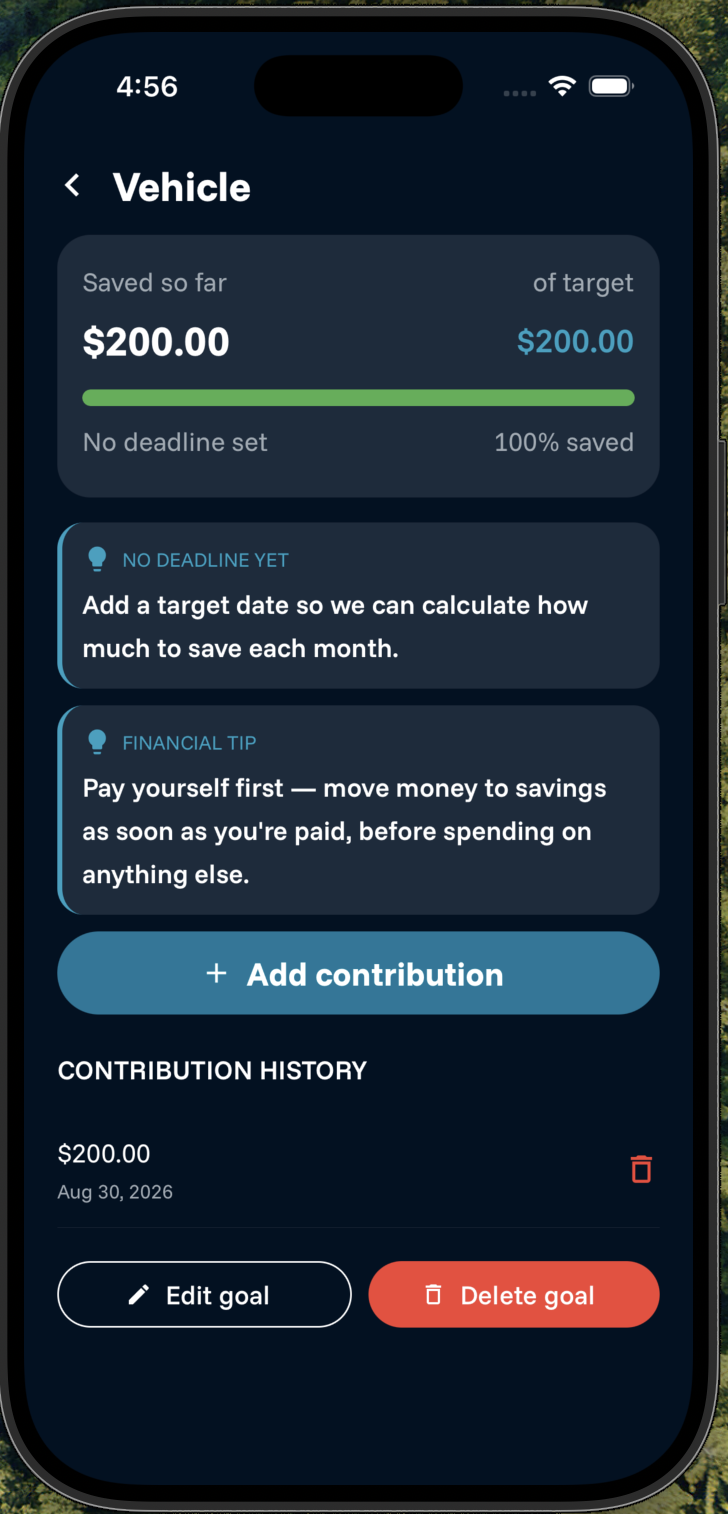
How it looks and how it works. (Screenshots and GIFs of the main flows.)
Screenshots
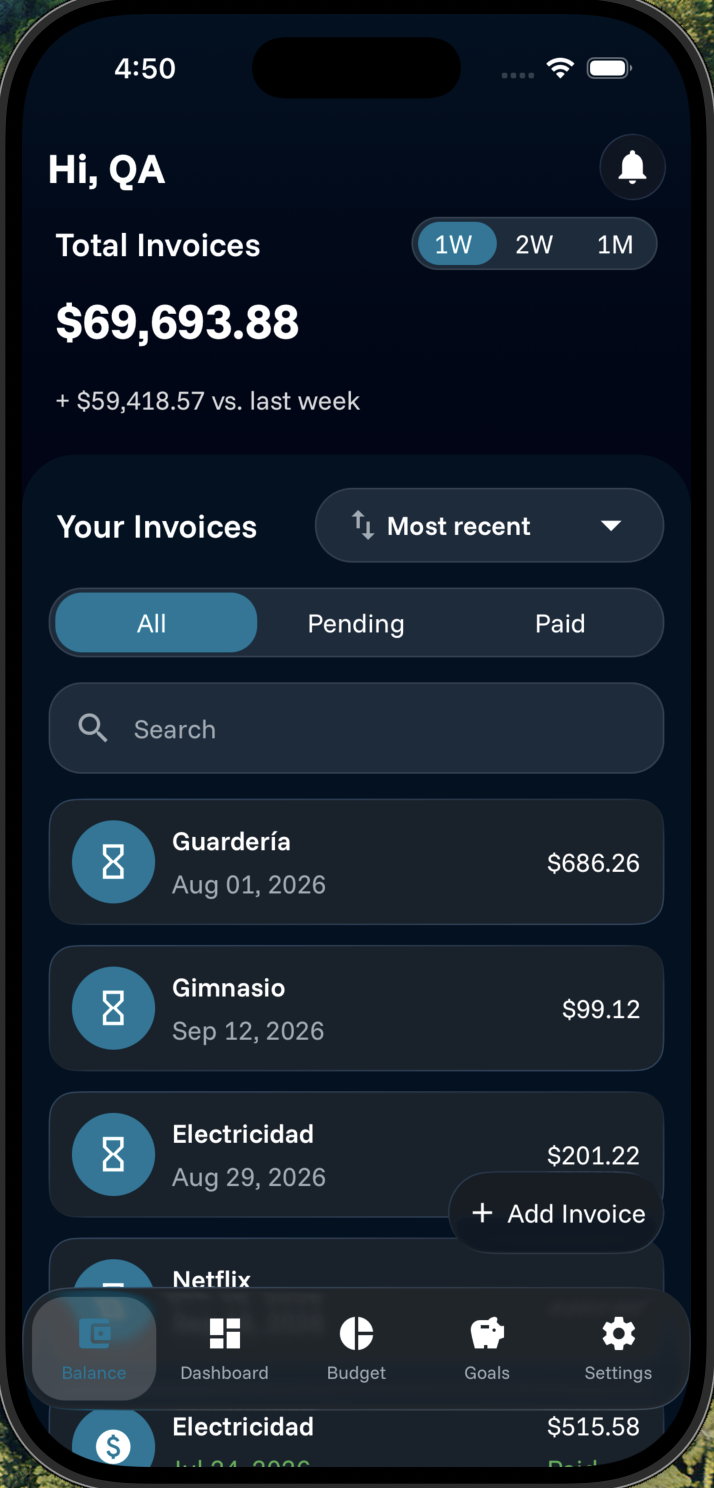
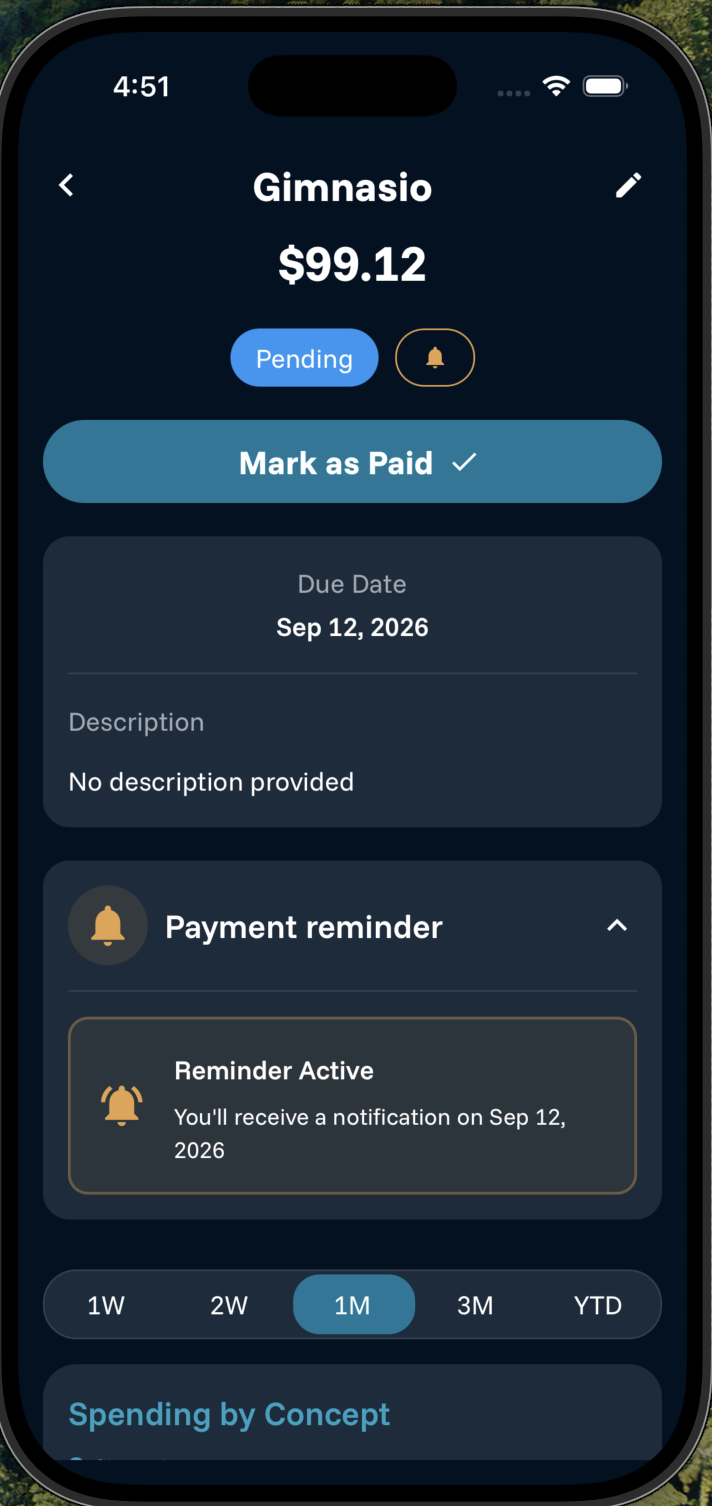
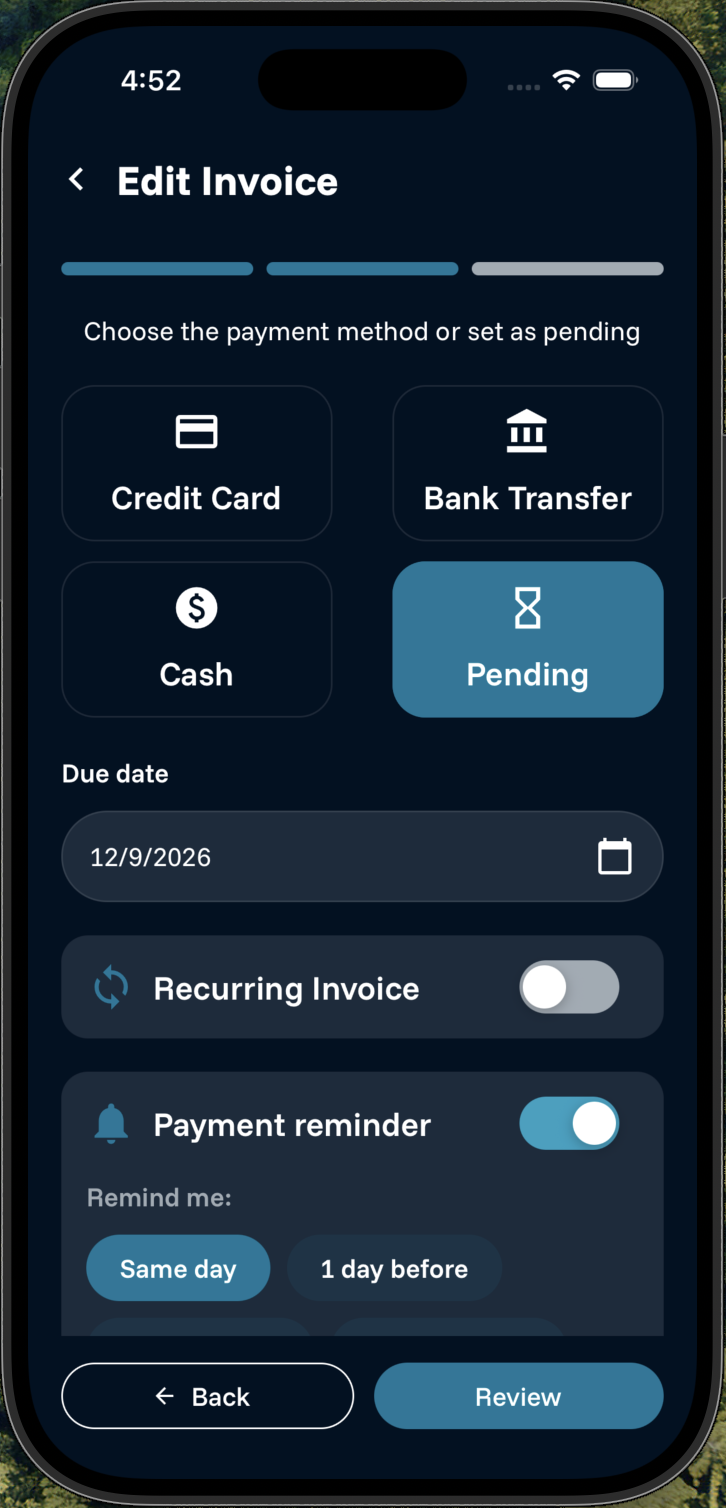
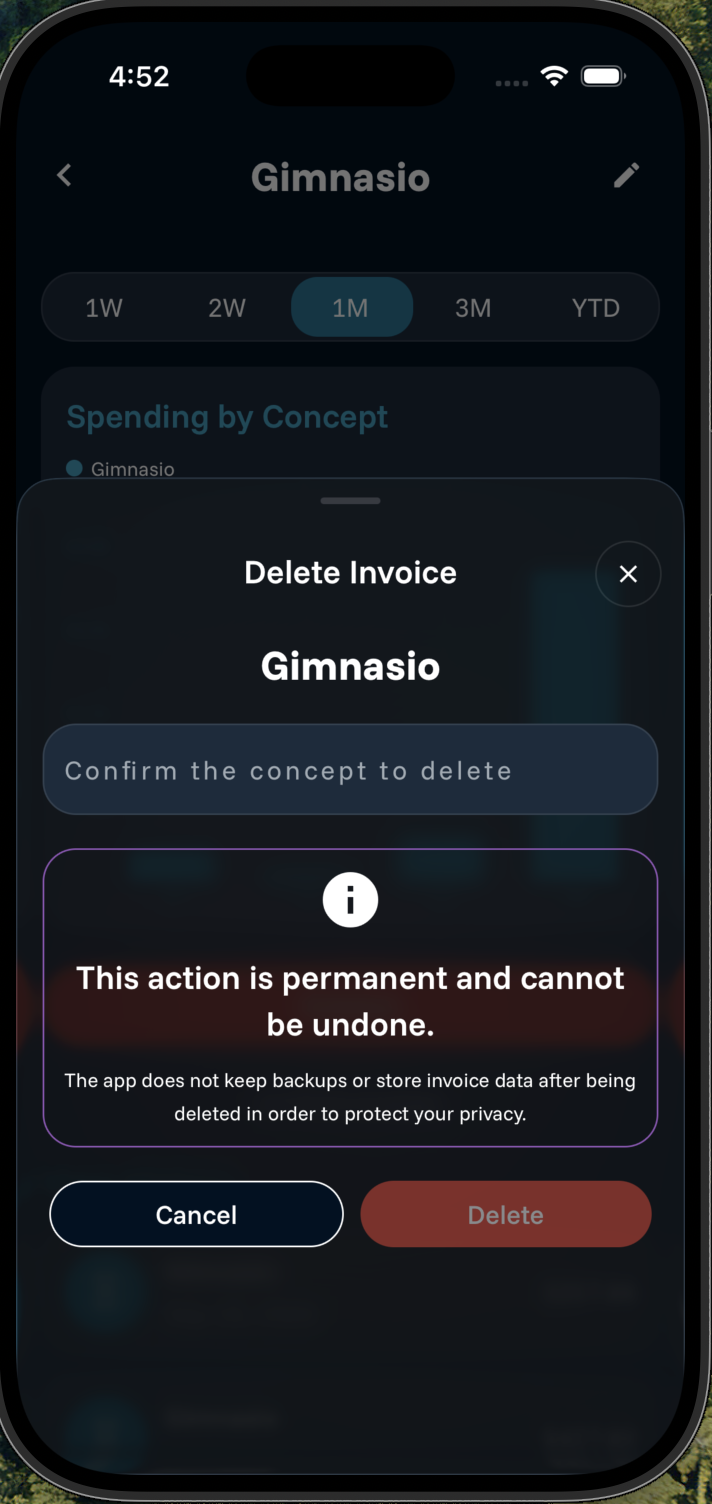
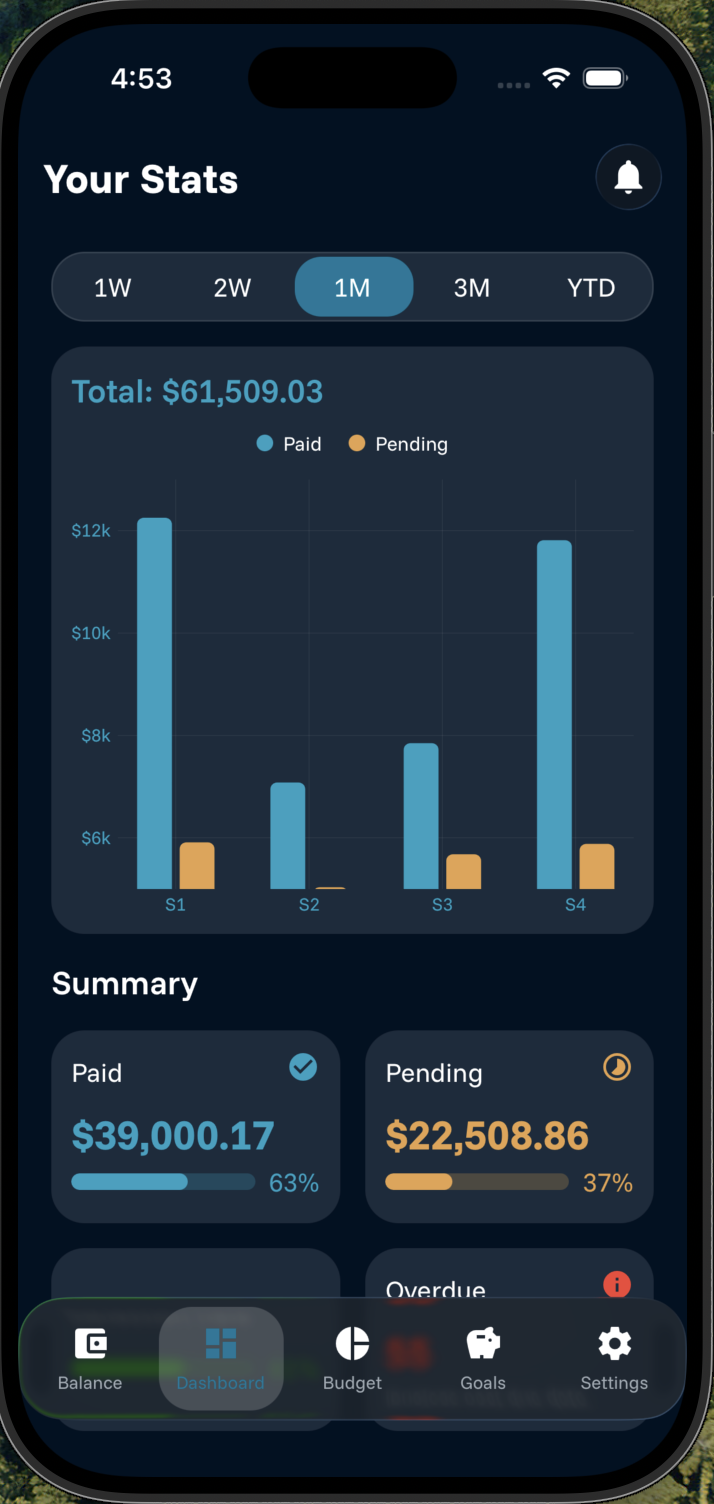
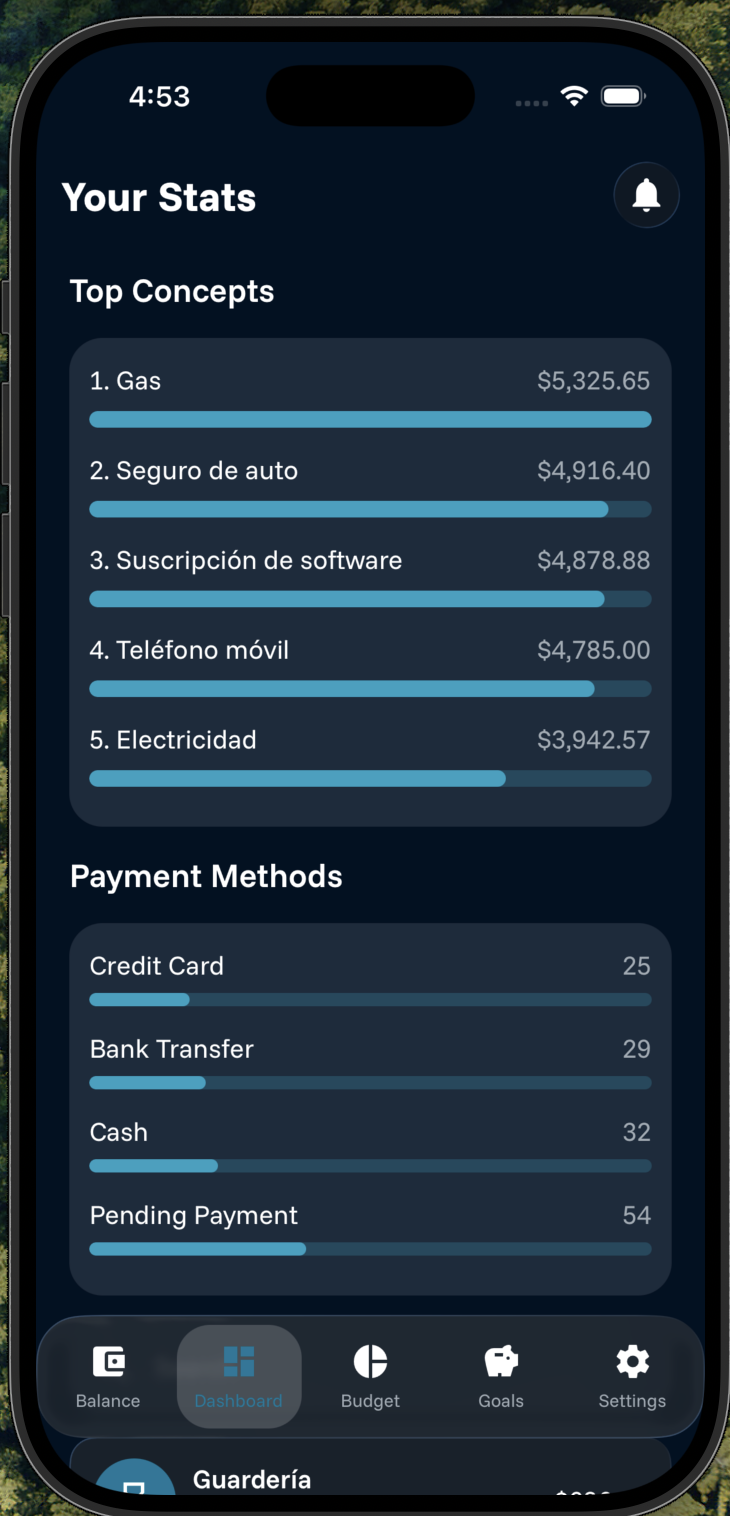
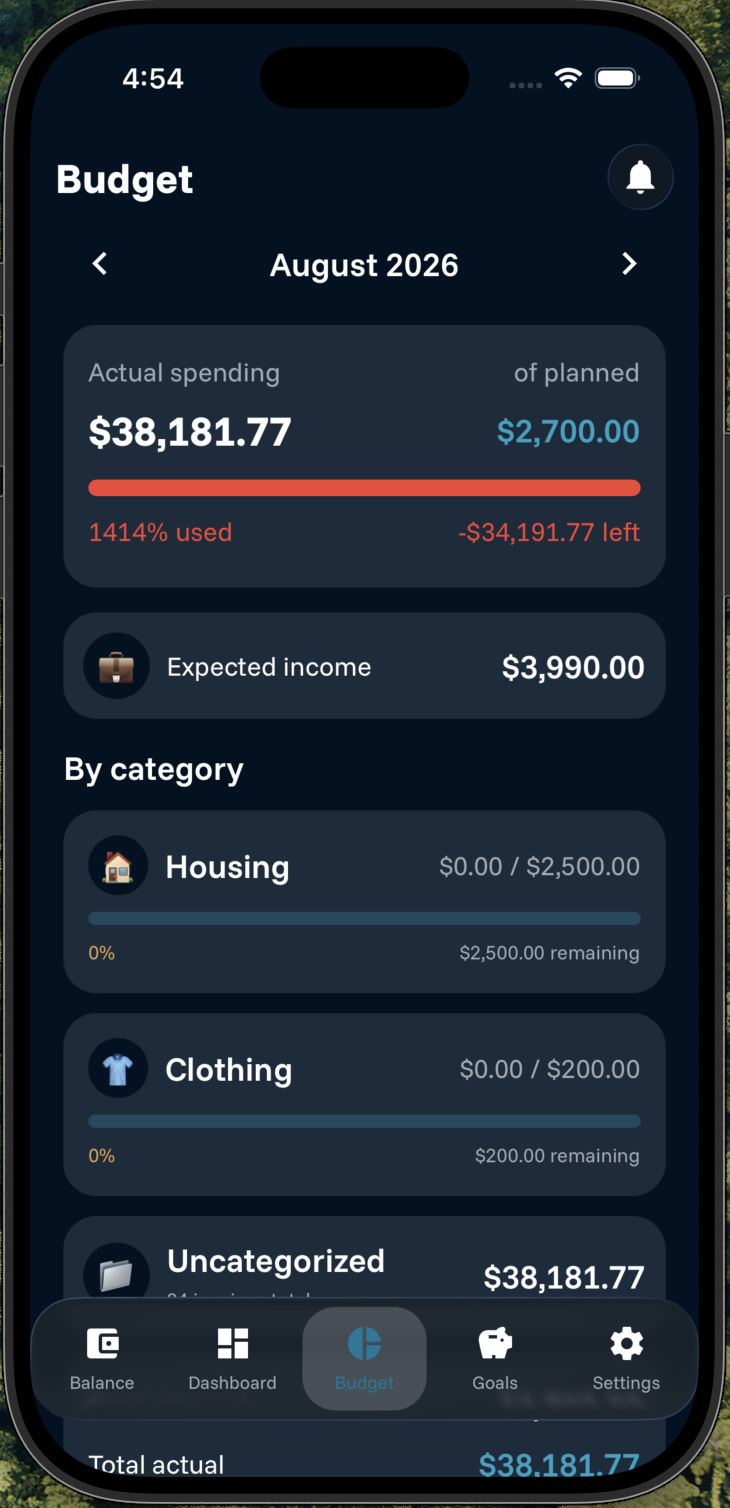
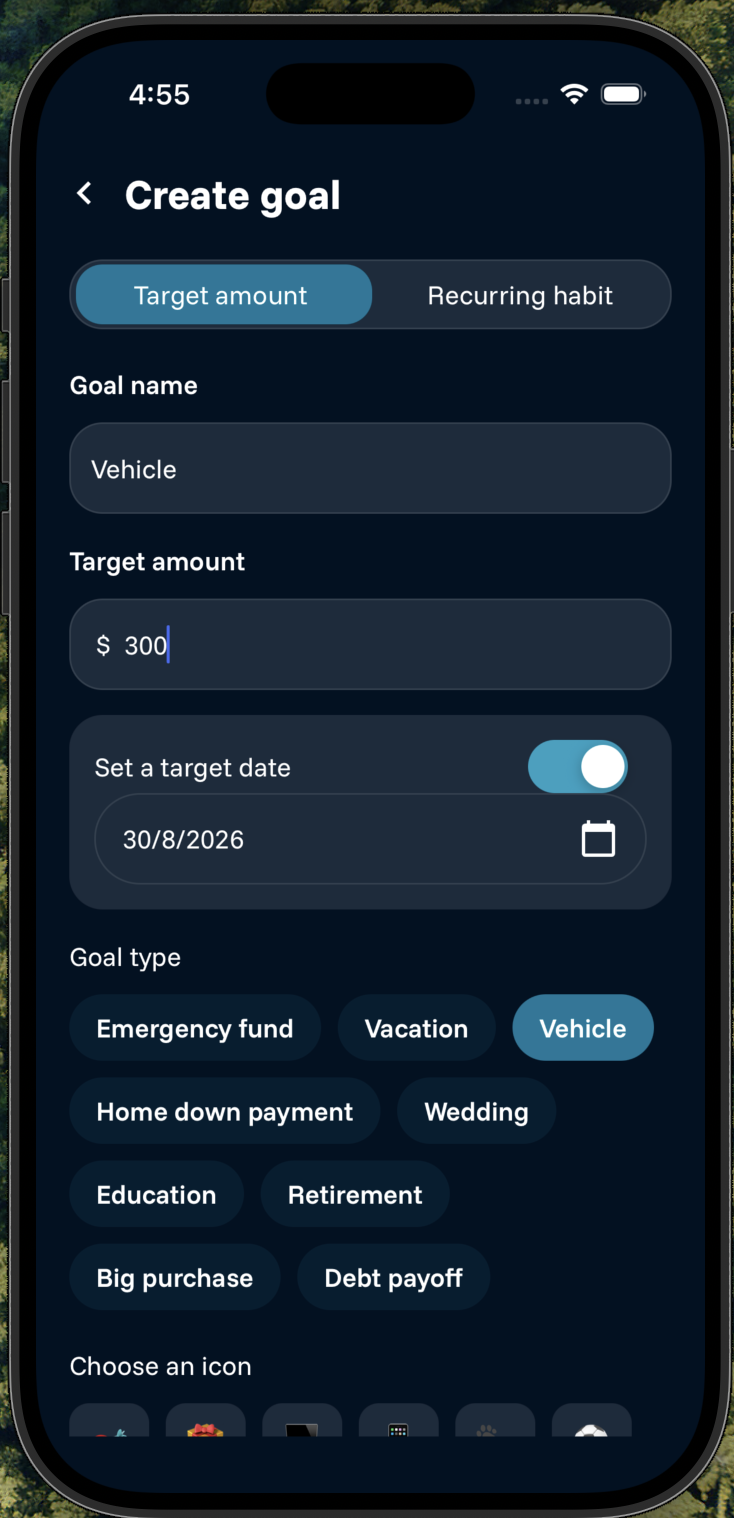
Flows in action
Current status
The project is in its launch and store-deployment phase. There's no public link to share yet, but you can see screenshots of how it looks and GIFs of how it works in the gallery above.
Want to talk about the project?
I'm happy to dive into the technical decisions or walk you through a demo.
Contact me